
Disk Usage eXtended
See where your space goes.
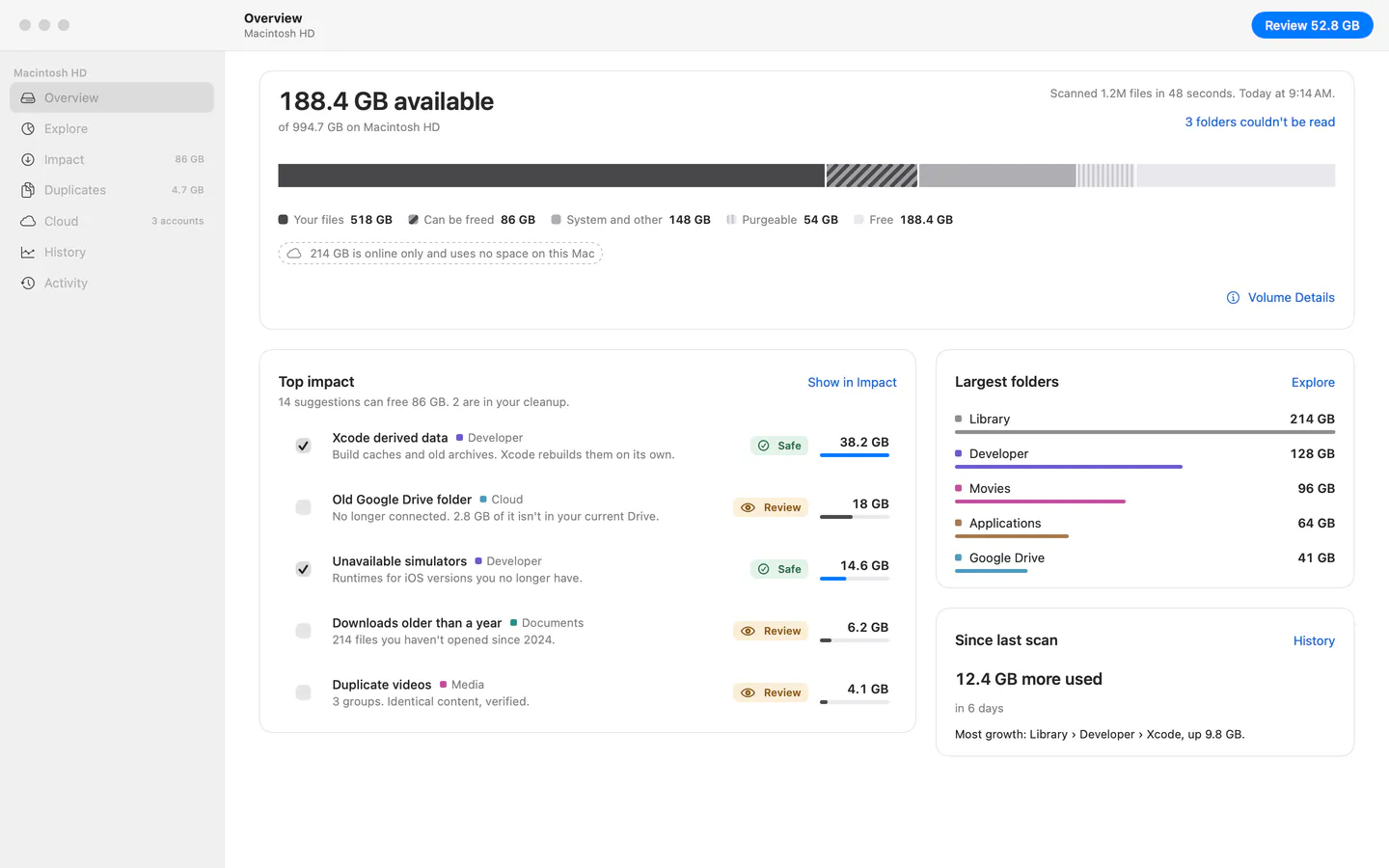
Other tools show what is big. dux shows what you can really free.
4.2 GB The size Finder shows for 3 copies of a video
120 MB What moving them to the Trash actually frees, once the Trash is emptied
The copies are APFS clones that share storage. dux measures space on disk, not file size, and never rounds in its own favor. When the two differ, it says so and shows why.
Every folder, drawn to scale.
A sunburst for drilling down, a treemap for spotting the big files, and a list for precision. Clones, hard links and packages are explained, not just measured.
More about Explore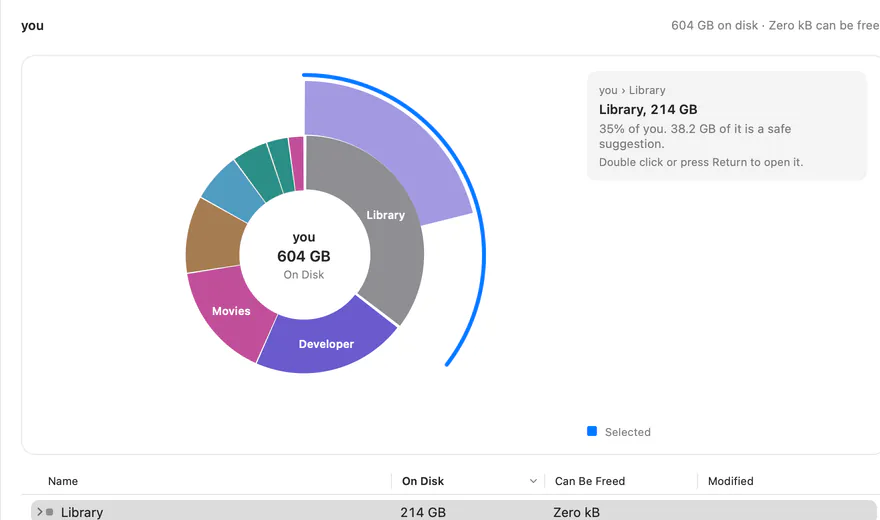
Ranked by the space you get back.
Every suggestion has a plain reason, a safety level and the space it truly frees. Safe ones can be preselected. Review and risky ones never are.
More about Impact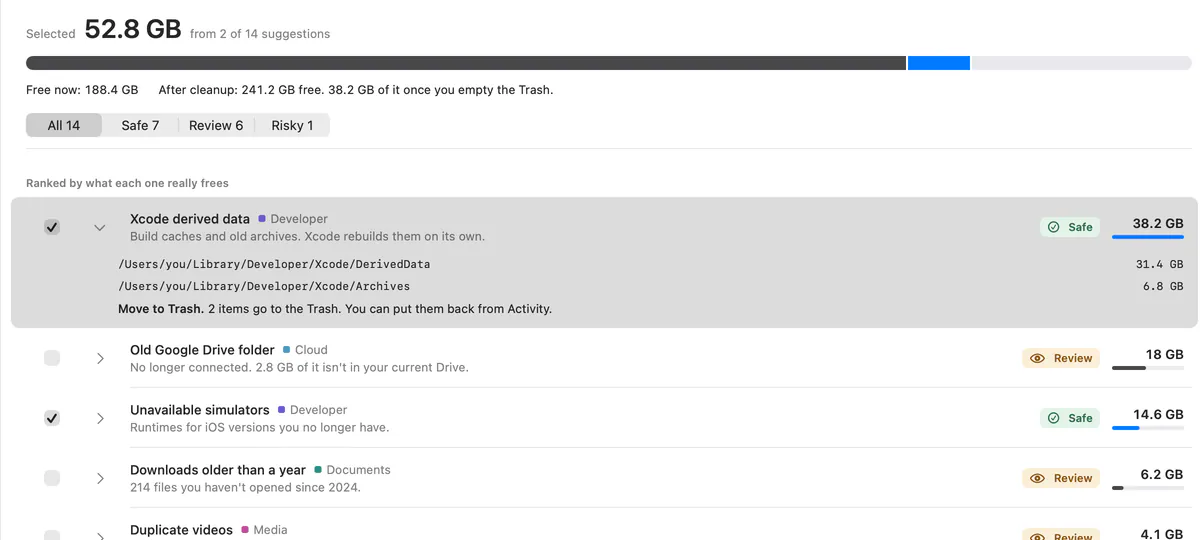
Keep every path. Free the space.
Find copies by content and resolve them one group at a time. Replace the extras with APFS clones, and every file still opens where you expect it. Part of Pro
More about Duplicates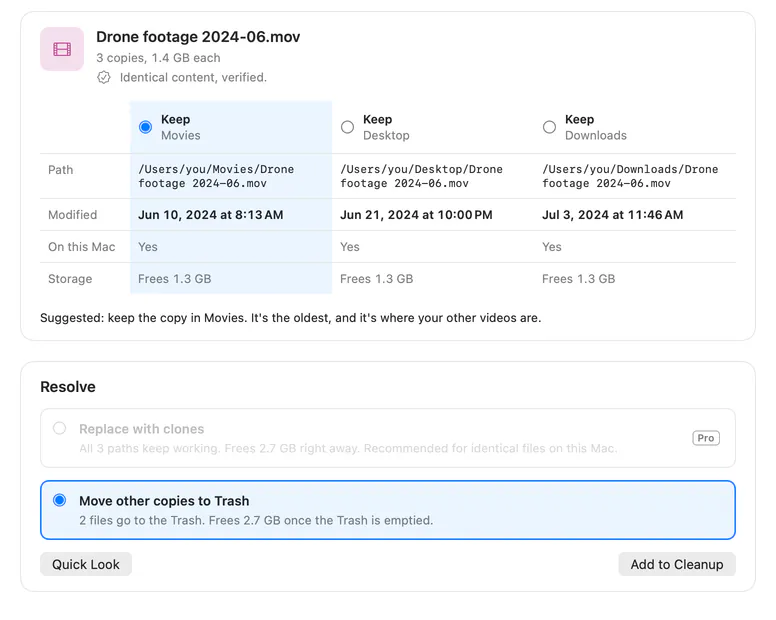
Two Google Drives, finally told apart.
What each cloud account keeps on this Mac, what is online only, and what an old, disconnected folder still holds.
More about Cloud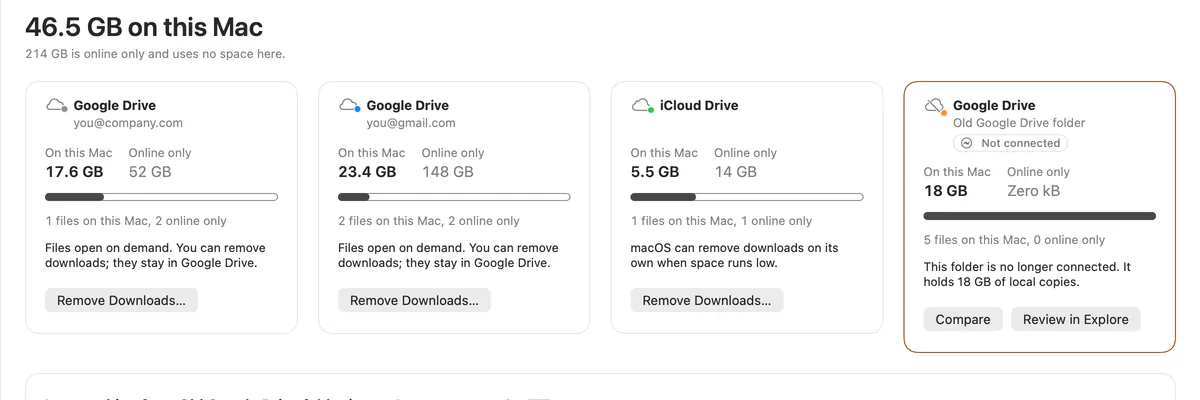
Nothing moves until you say so.
Files go to the Trash, become clones, or stay safe in the cloud. A cleanup can be undone from Activity, and the few actions that can't be undone say so before they run.
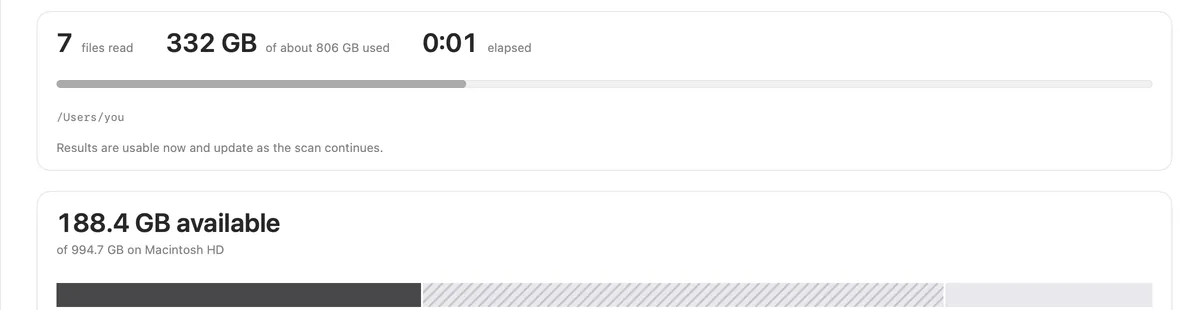
Scan
Useful within seconds, complete in about a minute.
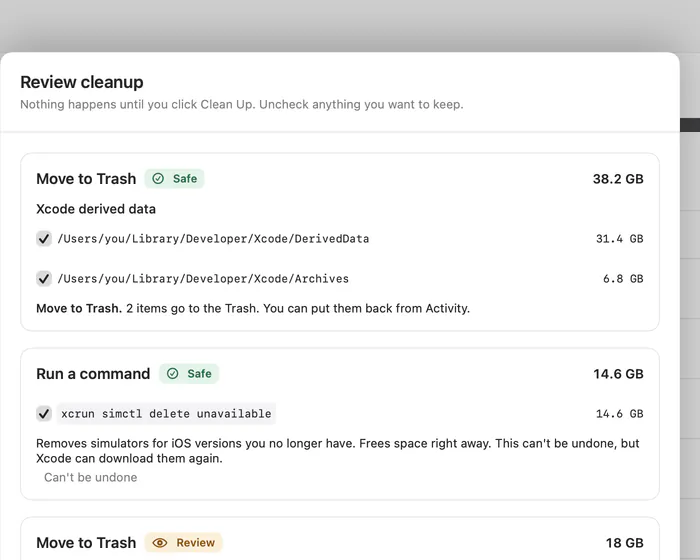
Review
A dry run that lists exactly what each action does.
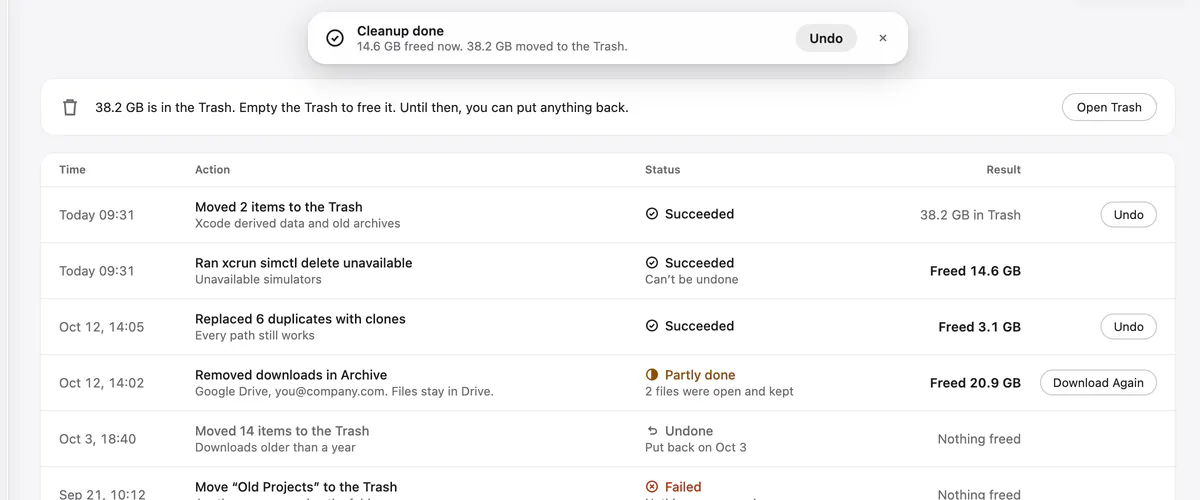
Clean, or undo
Freed now and moved to the Trash, counted separately.
du, extended.
You know du -sh. dux knows which of those gigabytes are caches that rebuild, which are clones, and which you need. Every command it runs is shown to you first.
~ % du -sh ~/Library/Developer
 86G    /Users/you/Library/Developer

~ % dux suggest ~/Library/Developer --top 3
3 suggestions, up to 54.4 GB reclaimable
   Size  Safety  Rule                  Title
38.2 GB  safe    xcode.derived-data    Xcode build files
 9.4 GB  safe    xcode.device-support  Xcode device support files
 6.8 GB  review  xcode.archives        Old Xcode archives
Free, and fully functional.
No feature walls, no time limit, no forced subscription. Pro adds extras and keeps dux independent: pay once, or yearly.
Pro
€29 once, or €9 a year
Everything in Free plus full history, scheduled scans, the menu bar extra, bulk cleanups, APFS clones for duplicates and more, on up to 5 Macs.
Compare plansBusiness
€15 per Mac, yearly
Deploy with Intune or Jamf, managed settings, fleet disk reporting. €10 per Mac from the 50th Mac.
dux for teamsMac storage, explained.
Plain answers to the questions Storage settings leaves open. Useful with or without dux.
All guides




See where your space goes.
Free on the Mac App Store. Scans stay on your Mac.